Communicate the project
Dimensions, schedules, sheets and PDF
Connect model information to dimensions, tags and schedules, then prepare and check a readable drawing set.
Learning goals
- Check the relationship between elements, tags and schedules.
- Prepare consistent, readable drawing sheets.
- Verify the exported PDF and submitted model.
Week 12 · Communicate the project
Select a chapter to jump to a topic.
In this video 10 chapters
- Communicate the project
- A dimension states a relationship
- A tag displays a chosen parameter
- A schedule is a view of model information
- A filter determines which elements are included
- Question: does one row mean one element?
- A drawing set needs an order
- View templates support consistency
- Export the intended set
- Prepare the report and the model together
Week 12 · Real Building · Part 3
Select a chapter to jump to a topic.
Practice
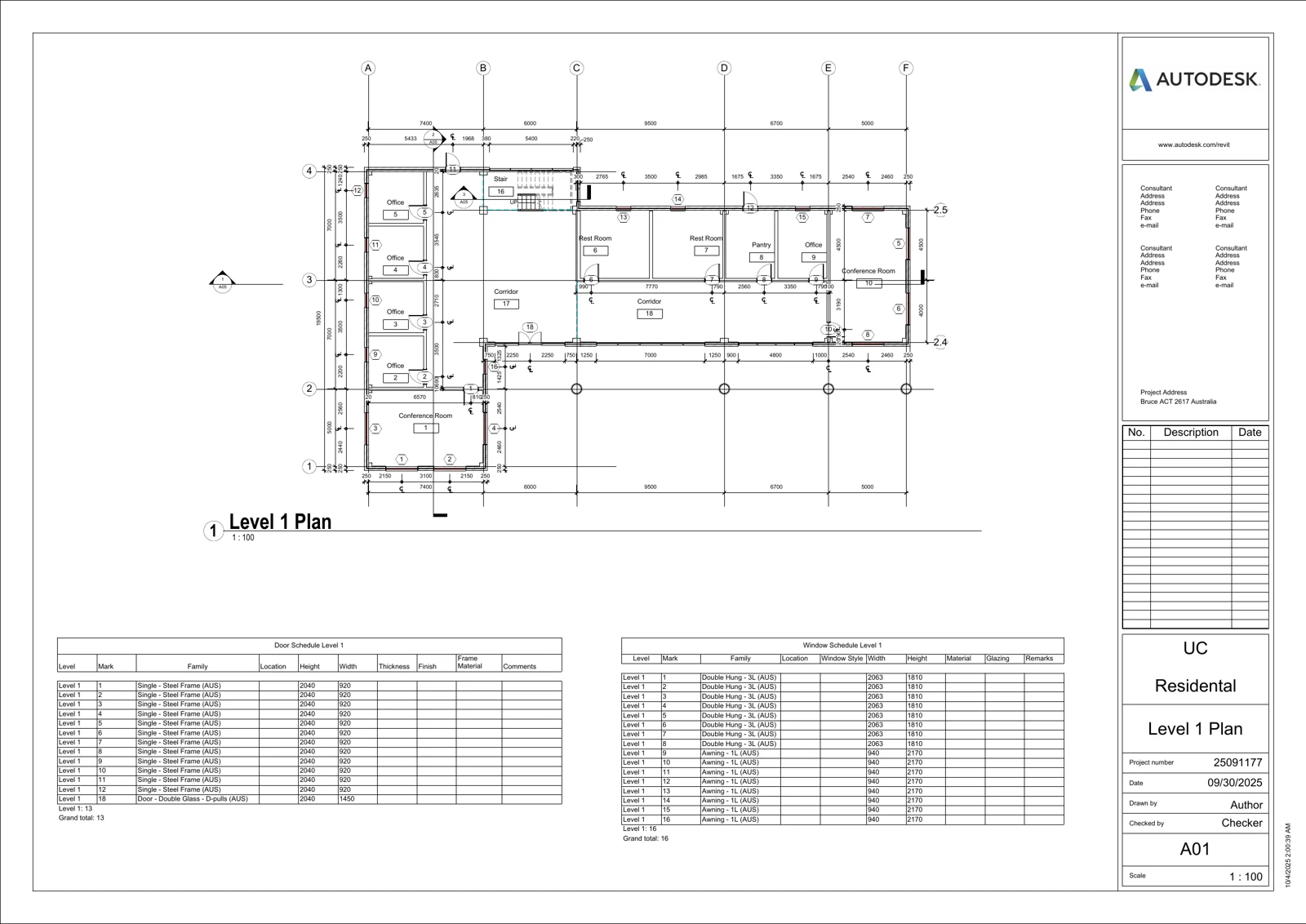
Export the drawing sheets and check every page for missing views, overlapping text and incorrect scale.
Check your understanding
Answer first, then open the suggested answer.
QUESTIONS
01What should a drawing dimension communicate?
A required size or position. Check that it measures the intended references and is easy to read.
Review in video · 01:2102How do door and window tags connect to schedules?
A tag displays a chosen parameter, such as Mark or Type Mark. Compare the same field in the schedule before deciding that two values disagree.
Review in video · 02:4503How is a Revit schedule different from a manually typed table?
A schedule displays model properties. Changes to those properties are reflected in the schedule.
Review in video · 05:2104How do you show only Level 1 elements in a schedule?
Add a filter for Level equals Level 1. Check that the displayed rows belong to that level.
Review in video · 15:0505How do room names stay consistent between plans and schedules?
Room tags and schedules read the room’s Name property. Update that property rather than adding unrelated text.
Review in video · 08:4606Does one schedule row always represent one element?
No. Sorting and grouping settings can combine several instances into one row. Check whether instances are itemised and use the Count field when appropriate.
Review in video · 07:2207Two plans do not fit on a sheet. What can you adjust?
Choose a suitable view scale, tighten the crop and reposition the views and titles. Check that the result remains readable.
Review in video · 12:1108Why open the PDF after exporting?
To confirm that the correct sheets exported and that all views, text and dimensions are complete and readable.
Review in video · 13:2909How do assigned view templates help keep drawings consistent?
An assigned template maintains an ongoing link for the properties it controls. Applying template properties is a one-time transfer. Check which settings the template includes.
Review in video · 11:2610A schedule column cuts off a family name. How can you fix it?
Widen the column, then check that the schedule still fits on the sheet without overlapping other content.
Review in video · 25:46